
Building worlds · make a place
Make a place, then share the key.
Start from a seed world, fill it with patches, and hand out a code — others load in beside you in real time.
The world-creation flow, end to end — plus the hard-won Tips & Tricks.
from nothing to a world
Create & share a world
- 1
Open the menu with Q, click WORLD
The world list is your home for every place you've made or visited.

- 2
Click Add World
Bottom-right of the world list. This starts a fresh place.

- 3
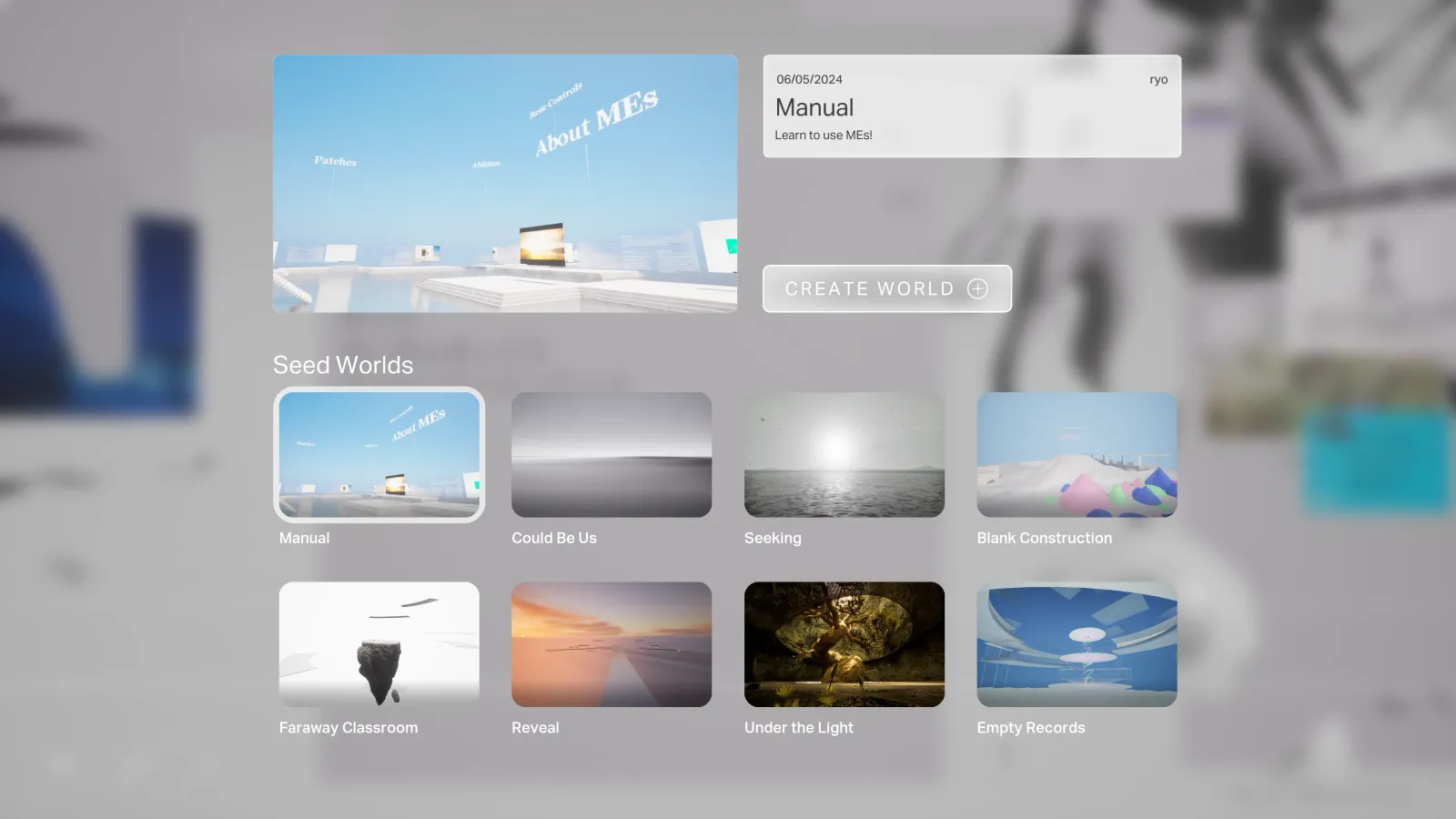
Pick a Seed World, then Create World
Seed Worlds are starting templates — an empty ground or a furnished space to build on.
- 4
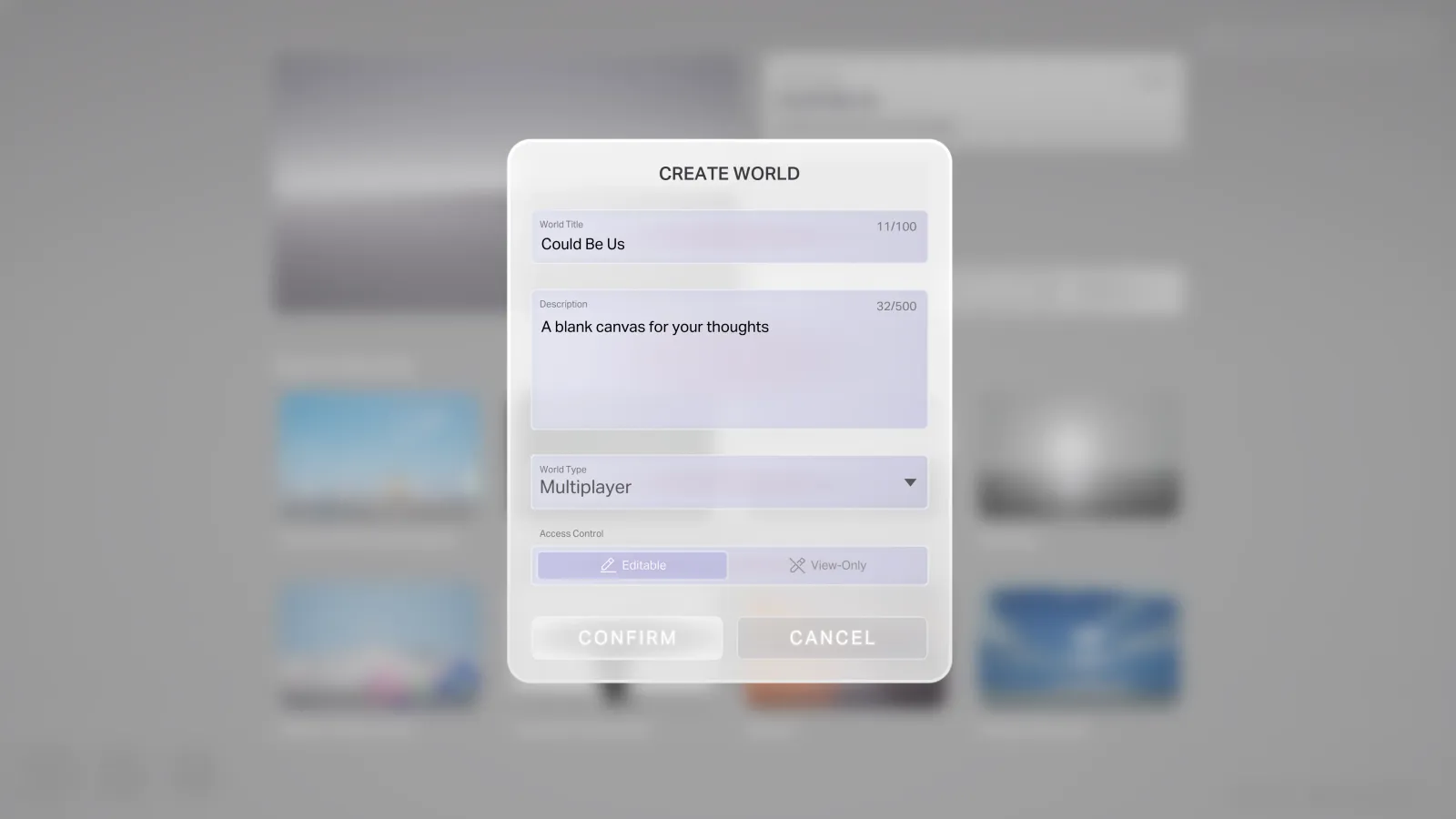
Set name, caption, type & permissions, then Confirm
Choose multiplayer or single-player here — it's fixed once the world is made.
- 5
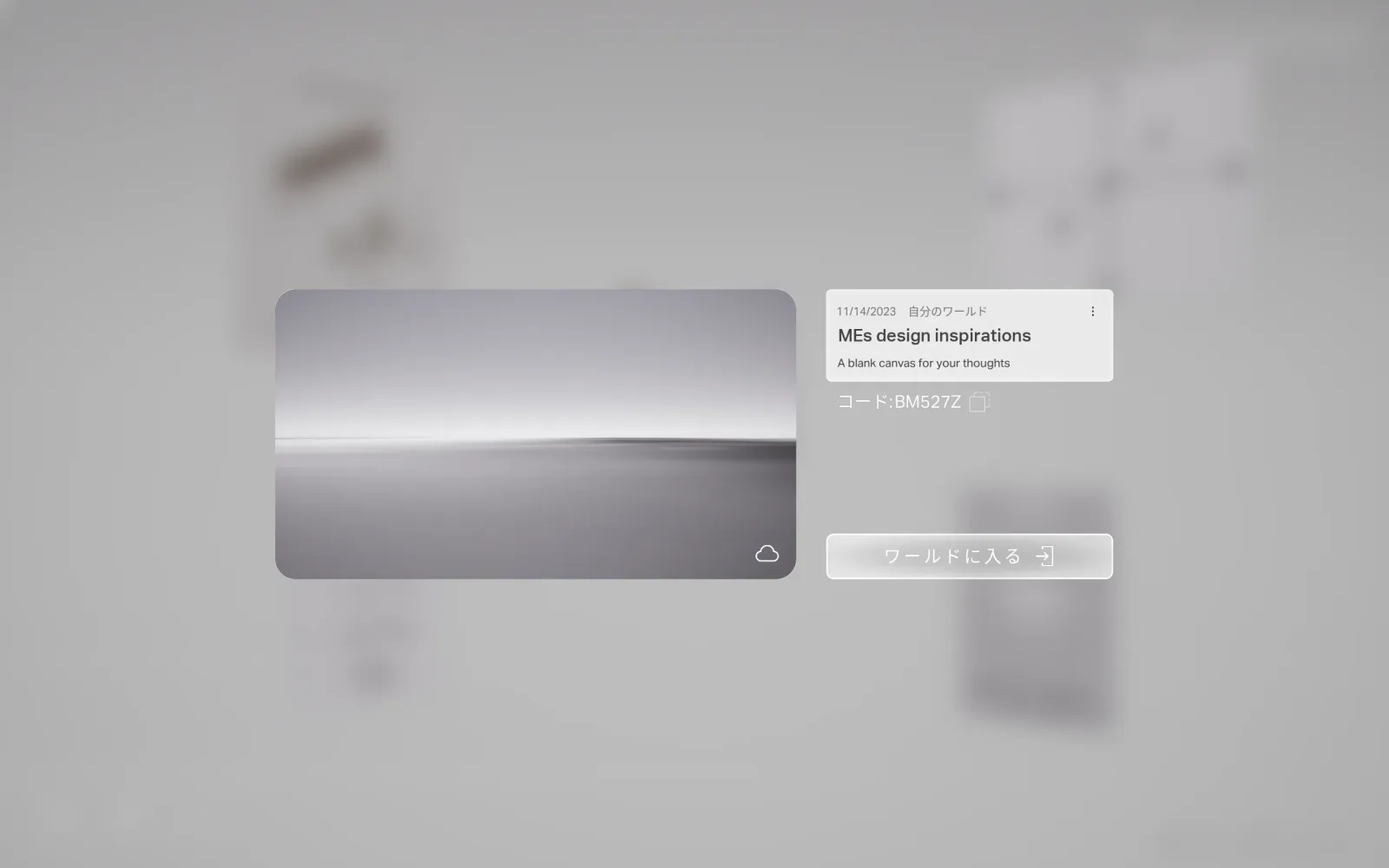
Enter World, or share the code
Open the world details to step in, or pass the code so others load in beside you. Your worlds live under the MY WORLDS tab.
Building with others? See Invite people → and Build a place →
hard-won tips
Things we want you to know.
Place by name with Search
Drop a patch straight into the world by typing its name — no trip to MIND. Give your go-to patches names you'll remember; with no input, your most recent imports show up first.
Don't grab the floor by accident
If you select the floor patch and move it, its collision can switch off — and you fall through. Make sure the right patch is selected before pressing R to move. Grabbed the floor by mistake? Press Esc to cancel.
Laying floor is easier from above — stand on the stairs for a better overall view.
Before a big experiment, duplicate the world — so you can come back if something important gets deleted.
Keep patches in reach
Patches placed too far away get hard to select again. Keep things within reach as you build.
Go easy on the Brush
The Brush stamps a registered patch over and over. Place too many and the world gets heavy — use it, but don't flood the place.
Done
A place that could only have been yours — and a code to let people in.
← All featuresGo further