
Avatars · VRM
Arrive as the body you already have.
VRM is the standard file format for a 3D avatar. In MEs you import a VRM and use it as your own body right away — no setup pass, no conversion step.
MEs supports VRM 0.x and VRM 1.0. Import the .vrm file in its original version; no conversion is required.
the format
What is a VRM?
A VRM is a standard file format for 3D avatars, used widely across virtual platforms. Bring one into MEs and it's immediately your avatar.
MEs supports both VRM 0.x and VRM 1.0. No conversion is required: import the .vrm file in its original version.
before you import
What MEs accepts
| Format | Status |
|---|---|
| VRM 1.0 | ✅ Recommended |
| VRM 0.x | ✅ Supported |
| FBX · GLTF / GLB (non-VRM) | ❌ Not supported directly — convert to VRM |
An avatar that works on another platform isn't guaranteed to behave identically in MEs. MEs prioritises correct forward locomotion and stable bone orientation. Test the avatar in MEs itself.
VRM 0.x vs VRM 1.0
The two versions differ most in how spring bones and collisions work — and there's no lossless conversion between them.
VRM 0.x
Earlier spec · collision spheres · still used by existing avatars and some authoring tools.
VRM 1.0
Current spec · collision capsules · widely used by newer authoring tools.
the actual import
Import a VRM
Pick a file. You're wearing it.
- 1
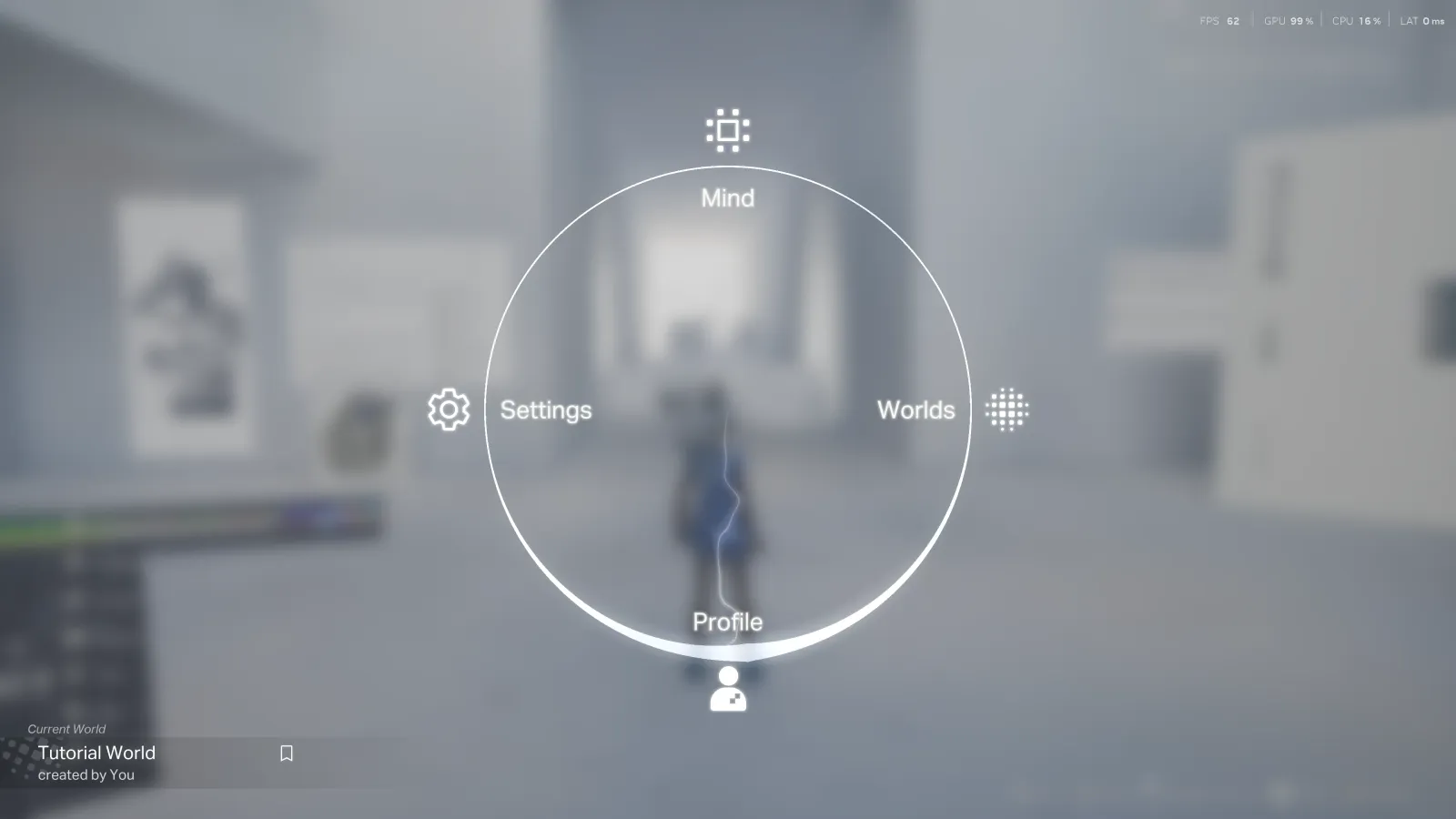
Press Q, click Profile
The menu is home base for everything you carry — your body included.
- 2
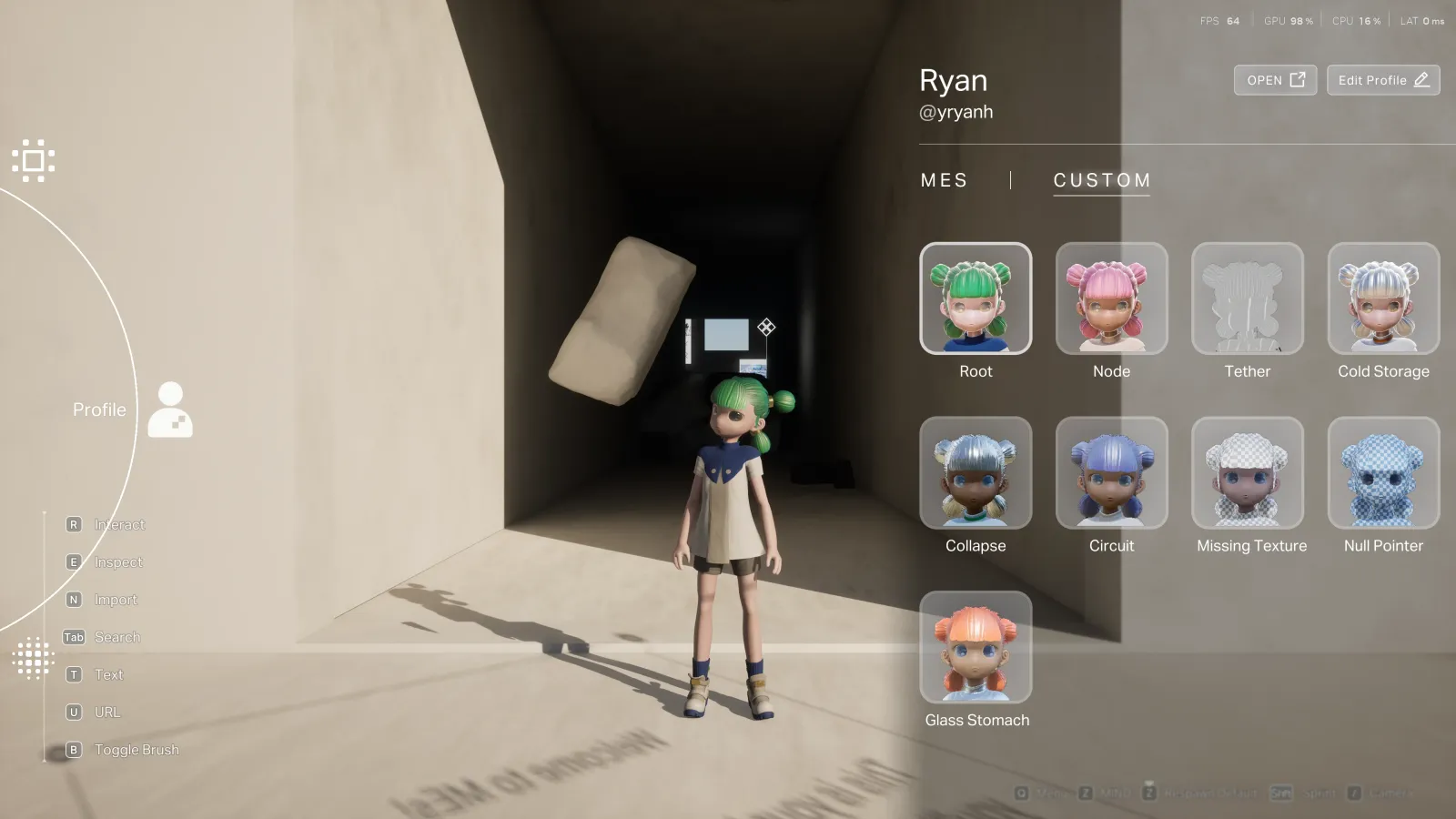
Switch to CUSTOM, click OPEN
The CUSTOM tab is where you bring your own VRM in, rather than picking a default.
- 3
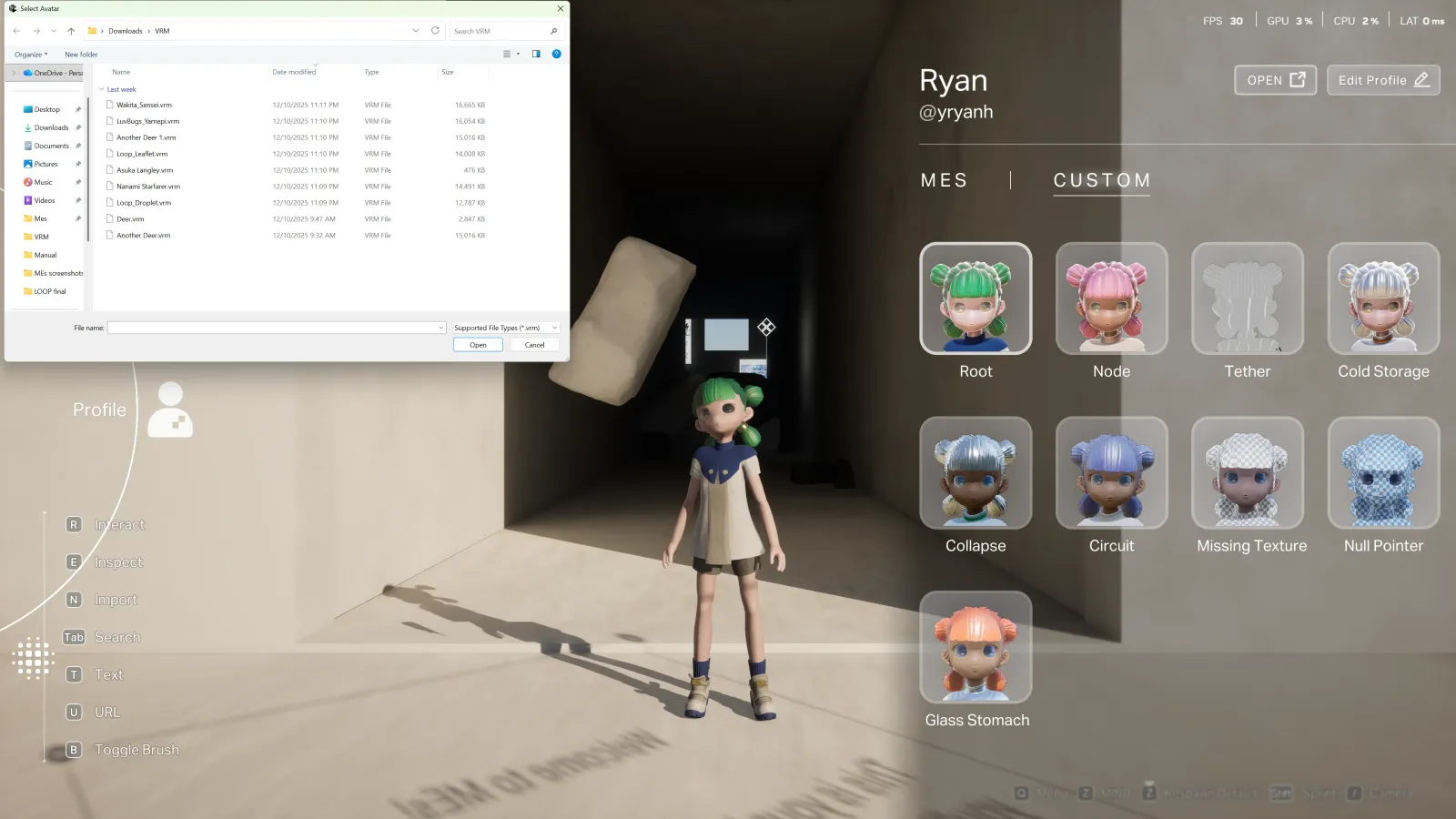
Choose your .vrm and confirm
MEs reads the file directly — there's no upload-and-wait.
- 4
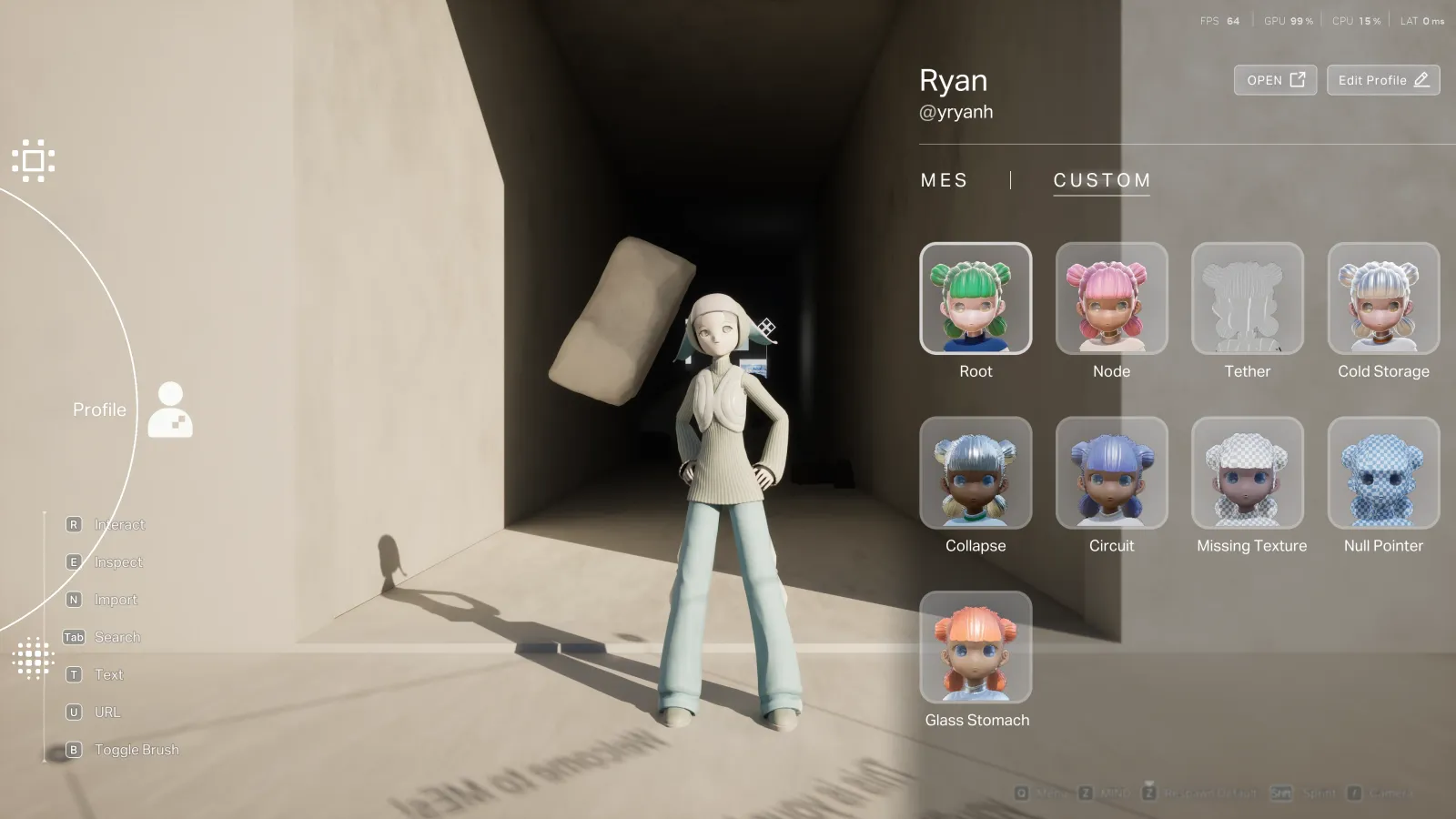
Done — your avatar loads on the spot
Move, explore, and interact with the world as your new body.
Prefer a clean walk-through? See Import a VRM avatar →
secondary motion
Spring bones
Spring bones drive secondary motion in hair, clothing, and accessories. VRM 0.x and VRM 1.0 store that data differently, so import the avatar in its original version and check the motion in MEs itself.
Required bones to upload
Your avatar must include the right humanoid bones. VRM 1.0 needs 15; VRM 0.x needs those plus chest and neck (17).
VRM 0.x — 17 bones
hips · spine · chest · neck · head · leftUpperArm · leftLowerArm · leftHand · rightUpperArm · rightLowerArm · rightHand · leftUpperLeg · leftLowerLeg · leftFoot · rightUpperLeg · rightLowerLeg · rightFoot
VRM 1.0 — 15 bones
hips · spine · head · leftUpperArm · leftLowerArm · leftHand · rightUpperArm · rightLowerArm · rightHand · leftUpperLeg · leftLowerLeg · leftFoot · rightUpperLeg · rightLowerLeg · rightFoot