Getting Started · setup
From download to your first world.
MEs runs on Windows and Mac, delivered through Steam. Install it, clear the requirements, sign in, and you're standing inside.
install via steam
Install & setup
MEs is distributed on Steam — install Steam first, then add MEs to your library.
- 1
Create a Steam account
Sign up at store.steampowered.com/join and finish account creation.
- 2
Download & install Steam
Get the desktop app from Steam and follow the installer.
- 3
Start using MEs
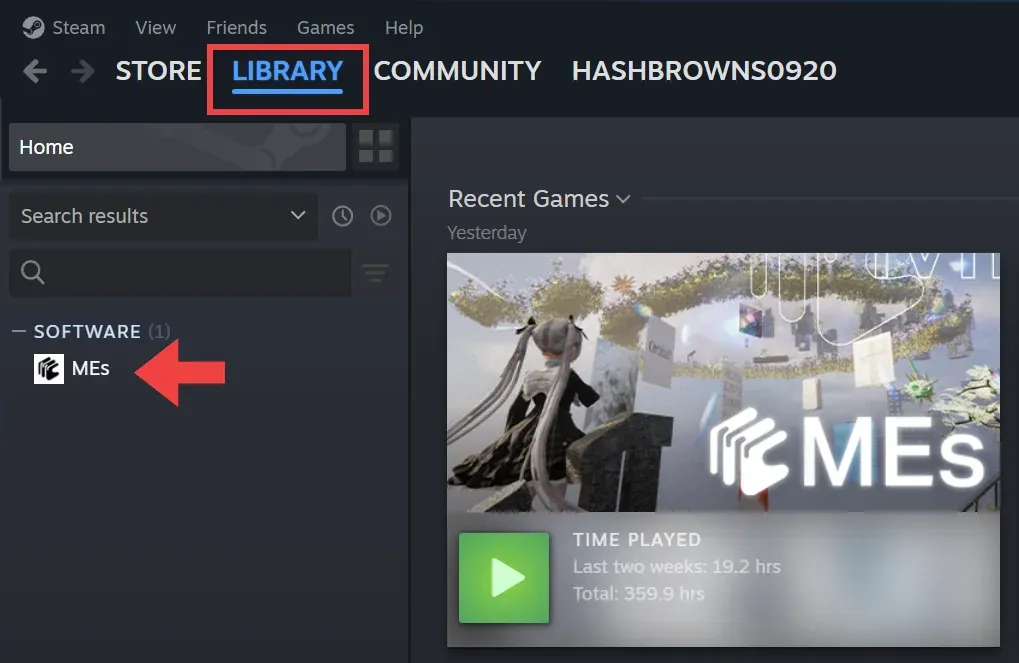
Once MEs downloads from Steam it lands in your library. Hit play.
Trouble with Steam itself? See the Steam Support page.
will it run
System requirements
| Spec | Minimum | Recommended |
|---|---|---|
| OS | Windows 10 22H2 (64-bit) | Windows 11 (64-bit) |
| Processor | 64-bit processor | Quad-core Intel/AMD, 2.5 GHz+ |
| Memory | 8 GB RAM | 8 GB RAM |
| Graphics | Shader Model 6 compatible GPU | Shader Model 6 compatible GPU |
| DirectX | Version 12 | Version 12 |
| Storage | 5 GB | 5 GB |
| Spec | Minimum | Recommended |
|---|---|---|
| Processor | Apple Silicon M1 or newer | Apple Silicon M1 or newer |
| OS | macOS 14.5+ | macOS 14.5+ |
| Memory | 8 GB RAM | 8 GB RAM |
| Graphics | Metal-capable GPU | Metal-capable GPU |
| Storage | 5 GB | 5 GB |
first run
Sign in
The first time, you sign in with your email address.
- Enter your email and press Enter — a login code is sent to it. (Typed it wrong? Type email again to re-enter.)
- Enter the code in MEs and press Enter to log in.

staying current
Updates
Open Steam, go to Library, select MEs, and click Update.
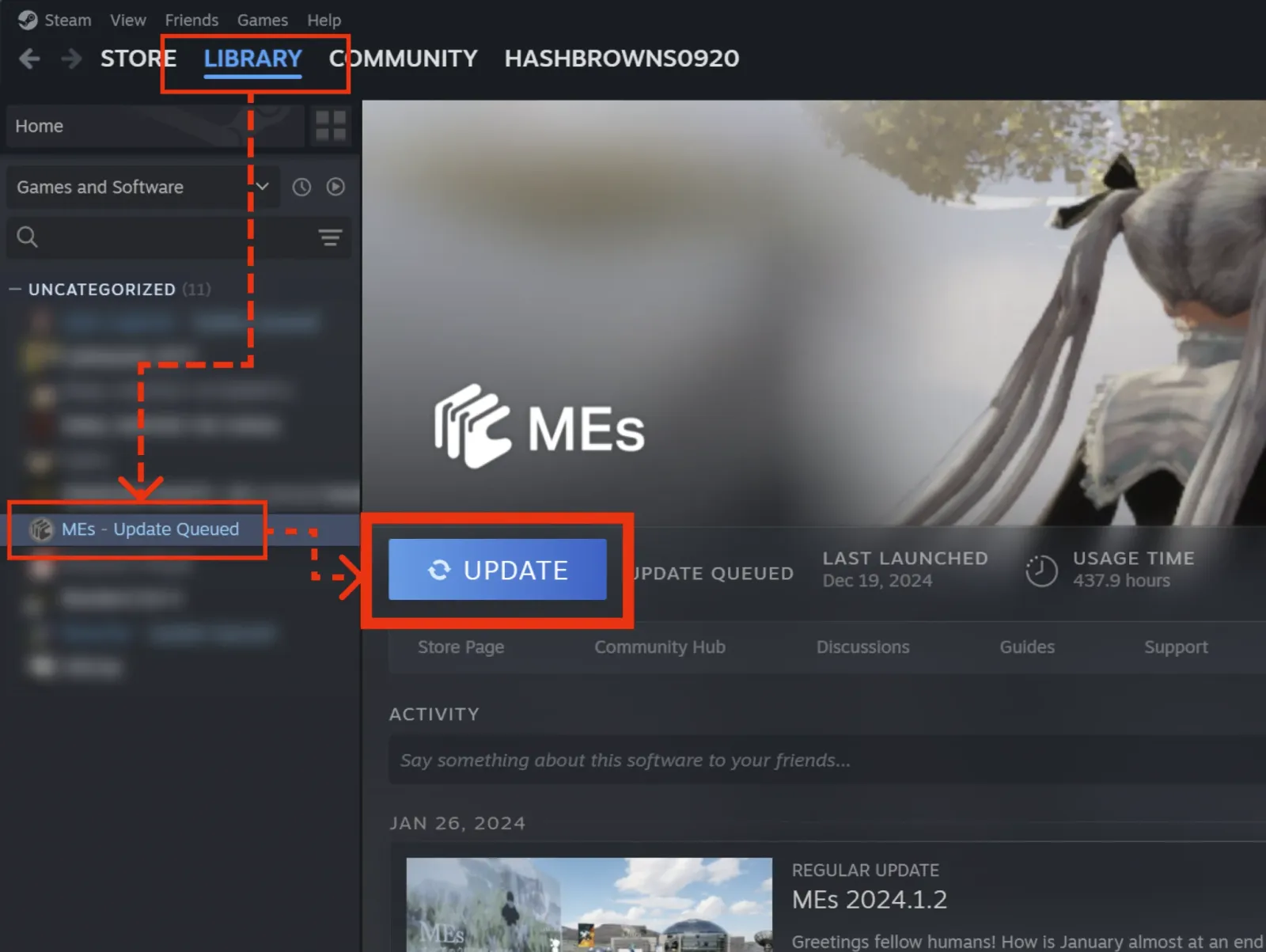
No update button?
- Auto-update — right-click MEs → Properties → Updates → "Always keep this game updated."
- Restart Steam — fully quit Steam (not just the window); it re-checks on launch.
- Clear the download cache — Steam Settings → Downloads → "Clear Download Cache," then restart.
your data
Back up your MIND
MEs stores your files locally in its own file system, MIND. Connection hiccups can occasionally interrupt a save, so back up when it matters. By default your data lives at:
| Platform | Path |
|---|---|
| Windows | C:\Users\[UserName]\AppData\Local\MEs\Saved\Files |
| Mac | ~/Library/Application Support/MEs/Saved/Files |
Change it any time from Settings → MEs → SAVE TO FOLDER.