
Help & FAQ
When something's off.
The handful of things that go wrong, and the quick fix for each.
won't open
MEs won't open or update
It probably didn't shut down cleanly. Force-quit it, then try again.
Windows
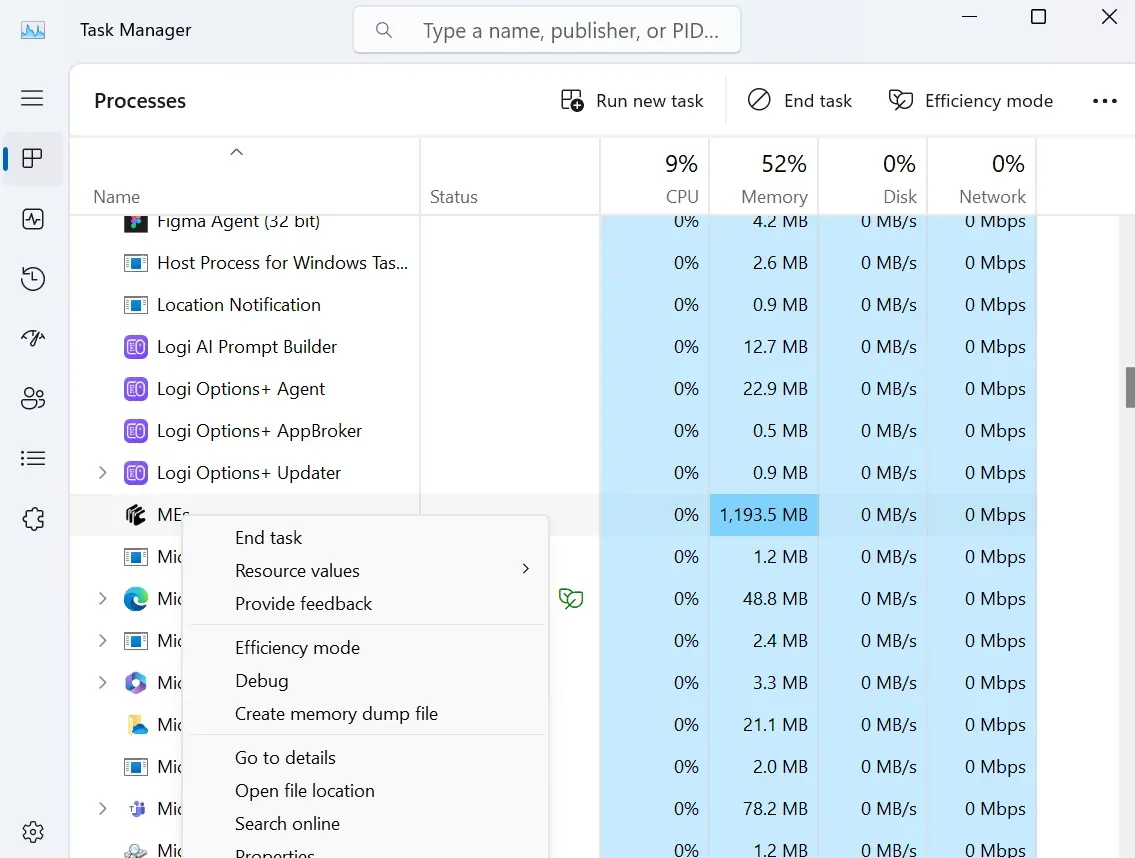
Press the Windows key, search Task Manager. In the running-apps list, right-click MEs → End task.
Mac
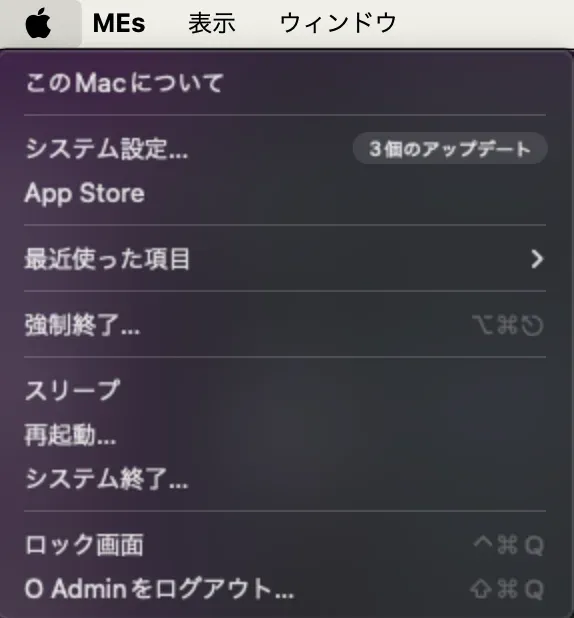
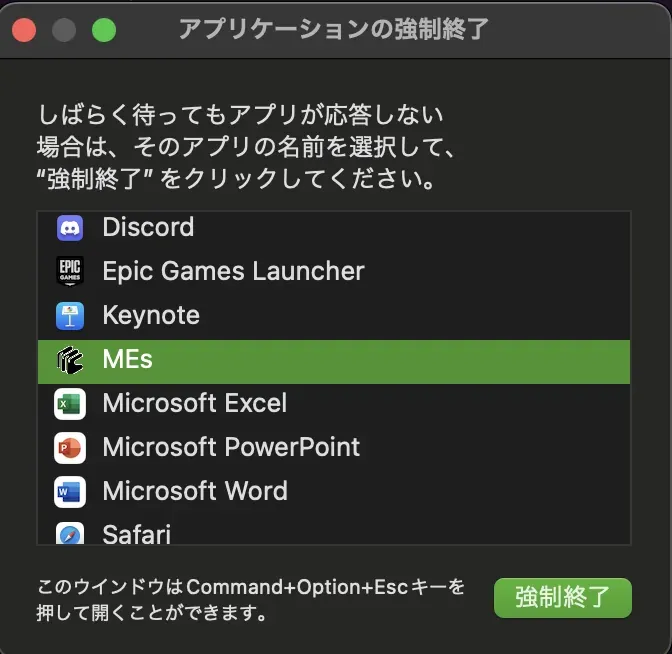
Click the Apple menu (🍎) → Force Quit, select MEs, and click Force Quit.
running rough
The screen looks laggy
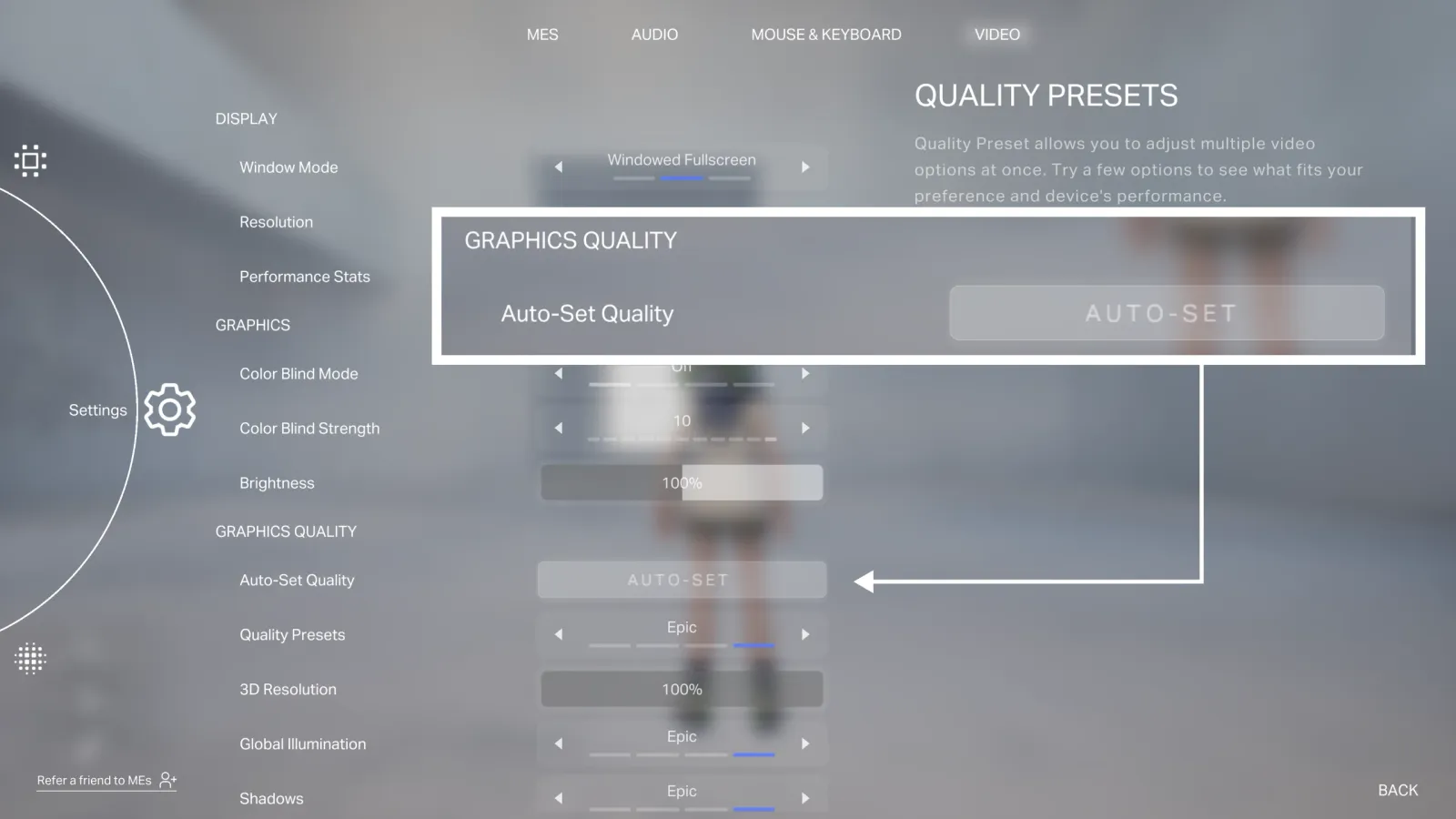
Stutter usually means the graphic quality is set higher than your machine can keep up with. Open Settings → VIDEO and click Auto-Set Quality under Graphic Quality — it tunes the settings to your PC.
elsewhere in features
Other fixes
Some troubleshooting lives closer to its feature:
- An avatar won't import or behaves oddly — see VRM, deeper → import-error reference.
- A 3D model won't import — see 3D Models & Assets → export it right.